
Top-eight chasing Liverpool will be determined to wrap their league phase campaign with a comprehensive victory over Qarabag, who have a realistic chance of reaching the playoffs.
Here is where to find English-language live streams of Liverpool vs Qarabag FK, as GOAL brings you everything you need to know about how to watch the game today.
 | USA | Paramount+ |
 | UK | TNT Sports |
 | Australia | Stan Sport |
 | Canada | Fubo Canada |
 | India | JioStar |
 | South / Sub-Saharan Africa | SuperSport |
 | Malaysia | beIN Sports Malaysia |
| Middle East | beIN Sports MENA |
How to watch anywhere with a VPN
If you are travelling abroad or just want to access your usual streaming services from a different part of the world, you may run into geo-restrictions. This is where a Virtual Private Network (VPN) comes in handy.
A VPN, such as NordVPN, allows you to establish a secure, encrypted connection online. By virtually changing your location to a country where the game is being broadcast, you can bypass blackout restrictions and watch your favourite team live. Click here for a step-by-step guide or, alternatively, check out GOAL's guide to the best VPNs for streaming sports.

Liverpool vs Qarabag FK kick-off time

Liverpool and Qarabag FK will kick off on 28 Jan 2026 at 15:00 EST and 20:00 GMT.
Match preview
Liverpool are licking their wounds at the moment after their unconvincing 13-match unbeaten run across all competitions was ended by Bournemouth in their most recent game. A win over Qarabag guarantees a top-eight finish for the Premier League champions, but a draw is likely enough for direct qualification in most scenarios, but not fully guaranteed. A defeat would put Liverpool's top-eight at risk as they could drop into the playoffs if other results don't go their way.
Qarabag, on the other hand, also saw their five-match unbeaten run consisting of five successive wins come to an end in their most recent game, which was against Kapaz. The Azerbaijan giants need a victory in order to advance to the knockout phase, while a draw could be enough to secure qualification if other results go their way and a defeat would put them at risk of being eliminated.
Injury news & key stats
Liverpool will be without several key players due to injuries, namely Conor Bradley, Giovanni Leoni, Jeremie Frimpong, Stefan Bajcetic, Alexander Isak, as well as Joe Gomez. Furthermore, Ibrahima Konate remains unavailable following family bereavement. However, the good news for the Reds is that they don't have suspension worries.
Meanwhile, Qarabag have a full strength squad ahead of the crucial match as there are no suspension worries and they are yet to report injuries in their camp.
This will be the first-ever meeting between Liverpool and Qarabag.
Team news & squads
Liverpool vs Qarabag FK lineups


%22%3E%3Cpath%20d%3D%22M113.285%20123.548C113.708%20121.587%20113.731%20119.672%20113.355%20117.805C112.65%20114.256%20111.334%20111.524%20109.407%20109.61C107.01%20106.855%2097.8925%20102.443%2082.054%2096.3727C76.9781%2094.0381%2074.4402%2091.3766%2074.4402%2088.3883L74.2287%2084.9564C78.2706%2080.8475%2080.973%2076.1316%2082.336%2070.8086C84.4509%2069.9215%2085.7434%2068.1238%2086.2133%2065.4157C88.8923%2060.046%2088.4223%2056.3807%2084.8034%2054.4196C87.6233%2044.8477%2087.2943%2037.7037%2083.8164%2032.9878L72.1137%2017.2291C72.1137%2019.7972%2071.5498%2020.8244%2070.4218%2020.3108C71.0328%2018.7232%2071.0328%2017.5793%2070.4218%2016.8789C69.6698%2018.6532%2068.4244%2019.6804%2066.6854%2019.9606L68.2364%2017.4392C67.2494%2018.8867%2065.7454%2019.6337%2063.7245%2019.6804C63.1605%2018.9801%2063.325%2017.9061%2064.218%2016.4587C63.137%2017.1124%2062.2205%2017.9528%2061.4686%2018.9801C60.3876%2018.7933%2059.9881%2017.626%2060.2701%2015.4781C59.3771%2016.5054%2058.4372%2017.626%2057.4502%2018.84C55.5702%2018.6999%2055.4997%2017.4626%2057.2387%2015.1279C55.1238%2015.6415%2053.9253%2016.6921%2053.6433%2018.2797C52.8913%2017.8127%2052.4448%2016.8555%2052.3038%2015.4081C49.9539%2018.3497%2046.993%2021.3614%2043.4211%2024.4431L36.0893%2031.0967C33.0344%2034.3652%2031.5774%2038.5442%2031.7184%2043.6336C31.8594%2048.6764%2032.5409%2052.2717%2033.7629%2054.4196C30.191%2056.7075%2029.6505%2060.4196%2032.1414%2065.5557C32.7054%2068.5441%2034.0684%2070.1549%2036.2303%2070.3884C37.7813%2076.0849%2040.6247%2080.9409%2044.7605%2084.9564C45.1835%2089.5323%2043.4681%2092.8475%2039.6142%2094.9019C37.0293%2096.3027%2034.0214%2097.6101%2030.5905%2098.8241L21.1437%20102.606C14.6579%20105.501%2010.4046%20108.279%208.38361%20110.941C5.79869%20114.77%204.78822%20118.972%205.3522%20123.548H113.285Z%22%20fill%3D%22%23DFDFDF%22%2F%3E%3C%2Fg%3E%3Cdefs%3E%3CclipPath%20id%3D%22clip0_2317_5185%22%3E%3Cpath%20d%3D%22M0%2060C0%2026.8629%2026.8629%200%2060%200C93.1371%200%20120%2026.8629%20120%2060C120%2093.1371%2093.1371%20120%2060%20120C26.8629%20120%200%2093.1371%200%2060Z%22%20fill%3D%22transparent%22%2F%3E%3C%2FclipPath%3E%3C%2Fdefs%3E%3C%2Fsvg%3E)


 LIV-Line up
LIVSubstitutes
Manager
A. Slot
 QRB-Line up
QRBSubstitutes
Manager
Q. Qurbanov
Injuries and Suspended players
Injuries and Suspensions
Injuries and Suspensions
Form
LIV-Form
LIVAFC Bournemouth
3
-
2
Liverpool
L
Marseille
0
-
3
Liverpool
W
Liverpool
1
-
1
Burnley
D
Liverpool
4
-
1
Barnsley
W
Arsenal
0
-
0
Liverpool
D
- Goal Scored (Conceded)
- 10/5
- Games over 2.5 goals
- 3/5
- Both teams scored
- 3/5
QRB-Form
QRBQarabag FK
0
-
2
FC Kapaz
L
Qarabag FK
3
-
2
Eintracht Frankfurt
W
FK Qabala
1
-
2
Qarabag FK
W
Sabah FK
2
-
1
Qarabag FK
L
Qarabag FK
5
-
1
Araz PFK
W
- Goal Scored (Conceded)
- 11/8
- Games over 2.5 goals
- 4/5
- Both teams scored
- 4/5
Head-to-Head Record
Standings
Step-by-step VPN guide to watch Liverpool vs Qarabag FK today
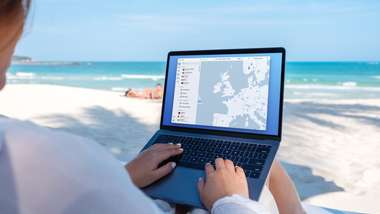 NordVPN
NordVPN- Download & Install: Sign up to NordVPN or another reputable VPN service (check out GOAL's guide here) and download the app on your device.
- Connect to a Server: Open the app and select a server location where the match is being shown (e.g. if you are in the UK but want to watch a US stream, connect to a US server).
- Clear Cache: Sometimes your browser holds onto your old location. Clear your cookies or refresh your browser to ensure the change takes effect.
- Start Streaming: Go to your broadcaster's website and app and enjoy the game.
>How to watch on the Big Screen
Watching on your phone or laptop is fine, but live sports belongs on the big screen. Here is how to get the VPN working on your TV:
- Smart TVs & Fire Stick: Most Android-based TVs and devices like the Amazon Fire TV Stick or Google Chromecast with Google TV have native VPN apps. Simply search for your VPN provider in the app store on your TV, log in, and connect just like you would on your phone.
- Apple TV, Roku & Consoles: These devices often don't support direct VPN apps. The easiest workaround is to use Smart DNS (usually found in your VPN account settings) or Mirror/Cast the stream from your VPN-connected phone or laptop to your TV.