
The 2026 MLS Season kicks off with a fascinating cross-conference matchup at Snapdragon Stadium, as San Diego FC begins its highly anticipated "sophomore" campaign against a rebuilding CF Montréal.
Here is where to find English-language live streams of San Diego FC vs CF Montreal, as GOAL brings you everything you need to know about how to watch the game today.

How to watch anywhere with a VPN
If you are travelling abroad or just want to access your usual streaming services from a different part of the world, you may run into geo-restrictions. This is where a Virtual Private Network (VPN) comes in handy.
A VPN, such as ExpressVPN, allows you to establish a secure, encrypted connection online. By virtually changing your location to a country where the game is being broadcast, you can bypass blackout restrictions and watch your favourite team live. Click here for a step-by-step guide or, alternatively, check out GOAL's guide to the best VPNs for streaming sports.

San Diego FC vs CF Montreal kick-off time

San Diego vs Montreal will kick off on 21 Feb 2026 at 23:30 EST.
Match preview
After a record-breaking debut year in 2025, the challenge for San Diego is to build upon it and prove that it's sustainable. It was a spectacular season, finishing top of the West during the regular season and reaching the Western Conference final. However, with Hirving 'Chucky' Lozano no longer in the plans and Luca de la Torre and Paddy McNair leaving, coach Mikey Varas must operate with a relatively inexperienced squad.
 Getty Images
Dreyer is one of the best in the MLS
Danish star Anders Dreyer had a scintillating 2025 for SDFC, and he'll have a new wingman in attack, Lewis Morgan, who has signed from the New York Red Bulls.
 Getty Images
Montreal's defence needs work
After shipping 60 goals in 2025, Montreal finished near the bottom of the Eastern Conference and focused on reinforcing its defence over the winter. Under coach Marco Donadel, they’ve brought in MLS-proven defenders Tomás Avilés on loan from Inter Miami and Brayan Vera. A match against a fluid, dynamic San Diego attack could be a baptism of fire.
 Getty Images
Verdict
San Diego at Snapdragon Stadium is one of the toughest MLS in MLS tests out there. The battle between Dreyer and Aviles will be key. Also, look out for Bryce Duke, who recently switched from Montreal to San Diego and will undoubtedly have a point to prove.
Team news & squads
San Diego FC vs CF Montreal Probable lineups
 Probable lineup
Substitutes
Manager
M. Varas
 Probable lineup
Substitutes
Manager
M. Donadel
Injuries and Suspended players
Injuries and Suspensions
- No sidelined players
Injuries and Suspensions
- No sidelined players
Form
SDI-Form
SDIClub Universidad Nacional
1
-
0
San Diego FC
L
San Diego FC
4
-
1
Club Universidad Nacional
W
San Diego FC
1
-
3
Vancouver Whitecaps
L
San Diego FC
1
-
0
Minnesota United
W
San Diego FC
4
-
0
Portland Timbers
W
- Goal Scored (Conceded)
- 10/5
- Games over 2.5 goals
- 3/5
- Both teams scored
- 2/5
MTL-Form
MTLFC Cincinnati
3
-
0
CF Montreal
L
CF Montreal
1
-
1
Nashville SC
D
Charlotte FC
1
-
4
CF Montreal
W
CF Montreal
0
-
2
New York Red Bulls
L
CF Montreal
0
-
2
St. Louis City
L
- Goal Scored (Conceded)
- 5/9
- Games over 2.5 goals
- 2/5
- Both teams scored
- 2/5
Head-to-Head Record
Standings
Step-by-step VPN guide to watch San Diego FC vs CF Montreal today
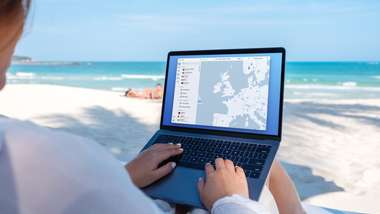 NordVPN
- Download & Install: Sign up to ExpressVPN or another reputable VPN service (check out GOAL's guide here) and download the app on your device.
- Connect to a Server: Open the app and select a server location where the match is being shown (e.g. if you are in the UK but want to watch a US stream, connect to a US server).
- Clear Cache: Sometimes your browser holds onto your old location. Clear your cookies or refresh your browser to ensure the change takes effect.
- Start Streaming: Go to your broadcaster's website and app and enjoy the game.
How to watch on the Big Screen
Watching on your phone or laptop is fine, but live sports belongs on the big screen. Here is how to get the VPN working on your TV:
- Smart TVs & Fire Stick: Most Android-based TVs and devices like the Amazon Fire TV Stick or Google Chromecast with Google TV have native VPN apps. Simply search for your VPN provider in the app store on your TV, log in, and connect just like you would on your phone.
- Apple TV, Roku & Consoles: These devices often don't support direct VPN apps. The easiest workaround is to use Smart DNS (usually found in your VPN account settings) or Mirror/Cast the stream from your VPN-connected phone or laptop to your TV.