
Liverpool’s bid to secure a top-five spot in the Premier League sees them next face their bogey team this season, Crystal Palace.
Here is where to find English-language live streams of Liverpool vs Crystal Palace as we bring you everything you need to know about how to watch the game today.
 | USA | Peacock |
 | Australia | Stan Sport |
 | Canada | Fubo Canada |
 | India | JioStar |
 | South / Sub-Saharan Africa | SuperSport |
| Malaysia | Astro | |
 | Middle East | beIN Sports MENA |
How to watch Liverpool vs Crystal Palace with VPN
If you are travelling abroad or just want to access your usual streaming services from a different part of the world, you may run into geo-restrictions. This is where a Virtual Private Network (VPN) comes in handy.
A VPN, such as ExpressVPN, allows you to establish a secure, encrypted connection online. By virtually changing your location to a country where the game is being broadcast, you can bypass blackout restrictions and watch your favourite team live. Click here for a step-by-step guide or, alternatively, check out our guide to the best VPNs for streaming sports.

Liverpool vs Crystal Palace kick-off time

Liverpool vs Crystal Palace will kick off on 25 Apr 2026 at 10:00 EST and 15:00 GMT.
Match preview
After a 2-1 win in the Merseyside Derby thanks to a dramatic 100th-minute winner from Virgil van Dijk, Liverpool is still in the hunt for a Champions League place. That win was just the Reds’ second in their last six matches across all competitions (L4). Still, they will be hoping that having only suffered two defeats in their last 15 home games (W9, D4) - which were against PSG and Man City - will help them overcome Palace, who handed Liverpool their first loss of the season.
 Getty Images
Palace travel to Anfield with confidence, having suffered just one defeat in their last eight matches (W4, D3), most recently drawing 0-0 with West Ham to earn a 12th Premier League clean sheet of the season. The Eagles have also now lost only one of their last six league encounters.
 Getty Images
Key stats & injuries
Palace have beaten Liverpool three times already this term, and will be looking to complete just their third-ever league double over them here, while becoming the first team to defeat the Reds at Anfield twice in one campaign since Arsenal in 2006/07.
Liverpool’s matches have featured a Premier League record nine winning goals in second-half stoppage time this season.
Palace have scored exactly twice in their last five Premier League games against the reigning champions.
Liverpool may be without goalkeepers Alisson and Giorgi Mamardashvili due to injury, while Palace saw Adam Wharton miss the game against West Ham.
Team news & squads
Liverpool vs Crystal Palace lineups


 LIV-Line up
LIVSubstitutes
Manager
A. Slot
Injuries and Suspended players
Injuries and Suspensions
 Injuries and Suspensions
Form
LIV-Form
LIVEverton
1
-
2
Liverpool
W
Liverpool
0
-
2
Paris Saint-Germain
L
Liverpool
2
-
0
Fulham
W
Paris Saint-Germain
2
-
0
Liverpool
L
Manchester City
4
-
0
Liverpool
L
- Goal Scored (Conceded)
- 4/9
- Games over 2.5 goals
- 2/5
- Both teams scored
- 1/5
CRY-Form
CRYCrystal Palace
0
-
0
West Ham United
D
Fiorentina
2
-
1
Crystal Palace
L
Crystal Palace
2
-
1
Newcastle United
W
Crystal Palace
3
-
0
Fiorentina
W
AEK Larnaca
1
-
2
Crystal Palace
W
- Goal Scored (Conceded)
- 8/4
- Games over 2.5 goals
- 4/5
- Both teams scored
- 3/5
Head-to-Head Record
LIVLast 5 matches
CRY1
Win
1
Draw
3
Wins
Liverpool
0
-
3
Crystal Palace
Crystal Palace
2
-
1
Liverpool
Crystal Palace
2
-
2
Liverpool
Liverpool
1
-
1
Crystal Palace
Crystal Palace
0
-
1
Liverpool
Goals scored
8- Games over 2.5 goals
- 3/5
- Both teams scored
- 3/5
Standings
Step-by-step VPN guide to watch Liverpool vs Crystal Palace today
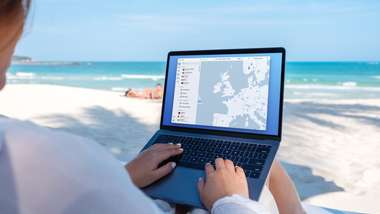 NordVPN
NordVPN- Download & Install: Sign up to ExpressVPN or another reputable VPN service (check out GOAL's guide here) and download the app on your device.
- Connect to a Server: Open the app and select a server location where the match is being shown (e.g. if you are in the UK but want to watch a US stream, connect to a US server).
- Clear Cache: Sometimes your browser holds onto your old location. Clear your cookies or refresh your browser to ensure the change takes effect.
- Start Streaming: Go to your broadcaster's website and app and enjoy the game.
How to watch on the Big Screen
Watching on your phone or laptop is fine, but live sports belongs on the big screen. Here is how to get the VPN working on your TV:
- Smart TVs & Fire Stick: Most Android-based TVs and devices like the Amazon Fire TV Stick or Google Chromecast with Google TV have native VPN apps. Simply search for your VPN provider in the app store on your TV, log in, and connect just like you would on your phone.
- Apple TV, Roku & Consoles: These devices often don't support direct VPN apps. The easiest workaround is to use Smart DNS (usually found in your VPN account settings) or Mirror/Cast the stream from your VPN-connected phone or laptop to your TV.