


Today's game between Southampton and Middlesbrough will kick-off at May 12, 2026, 3:00 PM.
"For English championship soccer fans eager to catch the Southampton vs Middlesbrough match, knowing where to stream the game online or watch it on TV is crucial. As you prepare for the excitement of the match, it's also a great time to explore some betting opportunities. If you're considering placing a wager, you might want to check out the Fanduel promo code, which can offer you some enticing benefits. Whether you're a seasoned bettor or new to the scene, having access to the latest promotions can enhance your experience. Enjoy the game and make the most of the available offers.


How to watch Southampton vs Middlesbrough with VPN
If you are travelling abroad or just want to access your usual streaming services from a different part of the world, you may run into geo-restrictions. This is where a Virtual Private Network (VPN) comes in handy.

A VPN, such as ExpressVPN, allows you to establish a secure, encrypted connection online. By virtually changing your location to a country where the game is being broadcast, you can bypass blackout restrictions and watch your favourite team live. A step-by-step guide is described later in this article, or you can also check out our guide to the best VPNs for streaming sports.



Team news & squads
Southampton vs Middlesbrough lineups


%22%3E%3Cpath%20d%3D%22M113.285%20123.548C113.708%20121.587%20113.731%20119.672%20113.355%20117.805C112.65%20114.256%20111.334%20111.524%20109.407%20109.61C107.01%20106.855%2097.8925%20102.443%2082.054%2096.3727C76.9781%2094.0381%2074.4402%2091.3766%2074.4402%2088.3883L74.2287%2084.9564C78.2706%2080.8475%2080.973%2076.1316%2082.336%2070.8086C84.4509%2069.9215%2085.7434%2068.1238%2086.2133%2065.4157C88.8923%2060.046%2088.4223%2056.3807%2084.8034%2054.4196C87.6233%2044.8477%2087.2943%2037.7037%2083.8164%2032.9878L72.1137%2017.2291C72.1137%2019.7972%2071.5498%2020.8244%2070.4218%2020.3108C71.0328%2018.7232%2071.0328%2017.5793%2070.4218%2016.8789C69.6698%2018.6532%2068.4244%2019.6804%2066.6854%2019.9606L68.2364%2017.4392C67.2494%2018.8867%2065.7454%2019.6337%2063.7245%2019.6804C63.1605%2018.9801%2063.325%2017.9061%2064.218%2016.4587C63.137%2017.1124%2062.2205%2017.9528%2061.4686%2018.9801C60.3876%2018.7933%2059.9881%2017.626%2060.2701%2015.4781C59.3771%2016.5054%2058.4372%2017.626%2057.4502%2018.84C55.5702%2018.6999%2055.4997%2017.4626%2057.2387%2015.1279C55.1238%2015.6415%2053.9253%2016.6921%2053.6433%2018.2797C52.8913%2017.8127%2052.4448%2016.8555%2052.3038%2015.4081C49.9539%2018.3497%2046.993%2021.3614%2043.4211%2024.4431L36.0893%2031.0967C33.0344%2034.3652%2031.5774%2038.5442%2031.7184%2043.6336C31.8594%2048.6764%2032.5409%2052.2717%2033.7629%2054.4196C30.191%2056.7075%2029.6505%2060.4196%2032.1414%2065.5557C32.7054%2068.5441%2034.0684%2070.1549%2036.2303%2070.3884C37.7813%2076.0849%2040.6247%2080.9409%2044.7605%2084.9564C45.1835%2089.5323%2043.4681%2092.8475%2039.6142%2094.9019C37.0293%2096.3027%2034.0214%2097.6101%2030.5905%2098.8241L21.1437%20102.606C14.6579%20105.501%2010.4046%20108.279%208.38361%20110.941C5.79869%20114.77%204.78822%20118.972%205.3522%20123.548H113.285Z%22%20fill%3D%22%23DFDFDF%22%2F%3E%3C%2Fg%3E%3Cdefs%3E%3CclipPath%20id%3D%22clip0_2317_5185%22%3E%3Cpath%20d%3D%22M0%2060C0%2026.8629%2026.8629%200%2060%200C93.1371%200%20120%2026.8629%20120%2060C120%2093.1371%2093.1371%20120%2060%20120C26.8629%20120%200%2093.1371%200%2060Z%22%20fill%3D%22transparent%22%2F%3E%3C%2FclipPath%3E%3C%2Fdefs%3E%3C%2Fsvg%3E)
Starting XI


Substitutes


Manager
- T. Eckert

- K. Hellberg

Form


Head-to-Head Record
Standings
| # | P | W | D | L | F | A | +/- | PTS | Form | |
|---|---|---|---|---|---|---|---|---|---|---|
| 1 | 12 | 7 | 4 | 1 | 27 | 17 | +10 | 25 | ||
| 2 | 12 | 7 | 2 | 3 | 16 | 13 | +3 | 23 | ||
| 3 | 12 | 6 | 4 | 2 | 32 | 15 | +17 | 22 | ||
| 4 | 12 | 6 | 3 | 3 | 20 | 16 | +4 | 21 | ||
| 5 | 12 | 6 | 3 | 3 | 16 | 13 | +3 | 21 | ||
| 6 | 12 | 7 | 3 | 2 | 24 | 12 | +12 | 20 | ||
| 7 | 12 | 5 | 5 | 2 | 20 | 12 | +8 | 20 | ||
| 8 | 12 | 5 | 5 | 2 | 20 | 12 | +8 | 20 | ||
| 9 | 12 | 6 | 2 | 4 | 18 | 16 | +2 | 20 | ||
| 10 | 12 | 5 | 3 | 4 | 19 | 16 | +3 | 18 | ||
| 11 | 12 | 5 | 3 | 4 | 16 | 15 | +1 | 18 | ||
| 12 | 12 | 4 | 4 | 4 | 16 | 15 | +1 | 16 | ||
| 13 | 12 | 4 | 3 | 5 | 19 | 20 | -1 | 15 | ||
| 14 | 12 | 4 | 3 | 5 | 12 | 15 | -3 | 15 | ||
| 15 | 12 | 4 | 3 | 5 | 13 | 20 | -7 | 15 | ||
| 16 | 12 | 3 | 5 | 4 | 19 | 17 | +2 | 14 | ||
| 17 | 12 | 3 | 5 | 4 | 15 | 18 | -3 | 14 | ||
| 18 | 12 | 4 | 2 | 6 | 16 | 23 | -7 | 14 | ||
| 19 | 12 | 3 | 5 | 4 | 11 | 18 | -7 | 14 | ||
| 20 | 12 | 4 | 0 | 8 | 20 | 22 | -2 | 12 | ||
| 21 | 12 | 3 | 2 | 7 | 10 | 20 | -10 | 11 | ||
| 22 | 12 | 1 | 5 | 6 | 17 | 25 | -8 | 8 | ||
| 23 | 12 | 1 | 4 | 7 | 10 | 21 | -11 | 7 | ||
| 24 | 12 | 1 | 2 | 9 | 10 | 25 | -15 | 5 |


Step-by-step VPN guide to watch Southampton vs Middlesbrough today
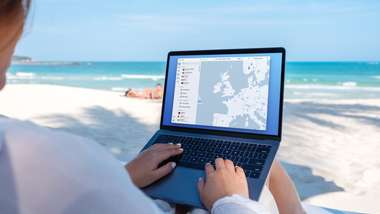 NordVPN
- Download & Install: Sign up to ExpressVPN or another reputable VPN service (check out GOAL's guide here) and download the app on your device.
- Connect to a Server: Open the app and select a server location where the match is being shown (e.g. if you are in the UK but want to watch a US stream, connect to a US server).
- Clear Cache: Sometimes your browser holds onto your old location. Clear your cookies or refresh your browser to ensure the change takes effect.
- Start Streaming: Go to your broadcaster's website and app and enjoy the game.
How to watch on the Big Screen
Watching on your phone or laptop is fine, but live sports belongs on the big screen. Here is how to get the VPN working on your TV:
- Smart TVs & Fire Stick: Most Android-based TVs and devices like the Amazon Fire TV Stick or Google Chromecast with Google TV have native VPN apps. Simply search for your VPN provider in the app store on your TV, log in, and connect just like you would on your phone.
- Apple TV, Roku & Consoles: These devices often don't support direct VPN apps. The easiest workaround is to use Smart DNS (usually found in your VPN account settings) or Mirror/Cast the stream from your VPN-connected phone or laptop to your TV.