
Looking to record three consecutive wins, in-form West Bromwich Albion host Ipswich Town at The Hawthorns in the Championship.
Here is where to find English-language live streams of West Bromwich Albion vs Ipswich, as we bring you everything you need to know about how to watch the game today.
 | USA | Fubo |
 | UK | Sky Sports |
 | Australia | beIN Sports Australia |
 | Canada | Fubo Canada |
 | India | FanCode |
 | South / Sub-Saharan Africa | SuperSport |
| Malaysia | Astro | |
| Middle East | beIN Sports MENA |
How to watch West Bromwich Albion vs Ipswich with VPN
If you are travelling abroad or just want to access your usual streaming services from a different part of the world, you may run into geo-restrictions. This is where a Virtual Private Network (VPN) comes in handy.
A VPN, such as ExpressVPN, allows you to establish a secure, encrypted connection online. By virtually changing your location to a country where the game is being broadcast, you can bypass blackout restrictions and watch your favourite team live. Click here for a step-by-step guide or, alternatively, check out our guide to the best VPNs for streaming sports.

West Bromwich Albion vs Ipswich kick-off time

West Brom vs Ipswich will kick off on 25 Apr 2026 at 07:30 EST and 12:30 GMT.
Match preview
Since a 2-1 defeat at relegation rivals Oxford on February 28, West Brom have strung together a stunning nine-game unbeaten run (W4 D5) to virtually secure their Championship status.
Ipswich are still in the heat of the race for automatic promotion to the Premier League. A single point across fixtures with Portsmouth and Middlesbrough was a blip, but Wednesday night's win at Charlton was a timely boost. The Tractor Boys sit second and have a game in hand on their nearest rivals. Three points here would put them within touching distance of the promised land.
 Getty Images
Key facts
West Brom remain without the services of club captain Jed Wallace for the rest of the season.
Ipswich have a few West Brom alumni in their medical room at the moment, including left-back Conor Townsend
Team news & squads
West Bromwich Albion vs Ipswich Town lineups


%22%3E%3Cpath%20d%3D%22M113.285%20123.548C113.708%20121.587%20113.731%20119.672%20113.355%20117.805C112.65%20114.256%20111.334%20111.524%20109.407%20109.61C107.01%20106.855%2097.8925%20102.443%2082.054%2096.3727C76.9781%2094.0381%2074.4402%2091.3766%2074.4402%2088.3883L74.2287%2084.9564C78.2706%2080.8475%2080.973%2076.1316%2082.336%2070.8086C84.4509%2069.9215%2085.7434%2068.1238%2086.2133%2065.4157C88.8923%2060.046%2088.4223%2056.3807%2084.8034%2054.4196C87.6233%2044.8477%2087.2943%2037.7037%2083.8164%2032.9878L72.1137%2017.2291C72.1137%2019.7972%2071.5498%2020.8244%2070.4218%2020.3108C71.0328%2018.7232%2071.0328%2017.5793%2070.4218%2016.8789C69.6698%2018.6532%2068.4244%2019.6804%2066.6854%2019.9606L68.2364%2017.4392C67.2494%2018.8867%2065.7454%2019.6337%2063.7245%2019.6804C63.1605%2018.9801%2063.325%2017.9061%2064.218%2016.4587C63.137%2017.1124%2062.2205%2017.9528%2061.4686%2018.9801C60.3876%2018.7933%2059.9881%2017.626%2060.2701%2015.4781C59.3771%2016.5054%2058.4372%2017.626%2057.4502%2018.84C55.5702%2018.6999%2055.4997%2017.4626%2057.2387%2015.1279C55.1238%2015.6415%2053.9253%2016.6921%2053.6433%2018.2797C52.8913%2017.8127%2052.4448%2016.8555%2052.3038%2015.4081C49.9539%2018.3497%2046.993%2021.3614%2043.4211%2024.4431L36.0893%2031.0967C33.0344%2034.3652%2031.5774%2038.5442%2031.7184%2043.6336C31.8594%2048.6764%2032.5409%2052.2717%2033.7629%2054.4196C30.191%2056.7075%2029.6505%2060.4196%2032.1414%2065.5557C32.7054%2068.5441%2034.0684%2070.1549%2036.2303%2070.3884C37.7813%2076.0849%2040.6247%2080.9409%2044.7605%2084.9564C45.1835%2089.5323%2043.4681%2092.8475%2039.6142%2094.9019C37.0293%2096.3027%2034.0214%2097.6101%2030.5905%2098.8241L21.1437%20102.606C14.6579%20105.501%2010.4046%20108.279%208.38361%20110.941C5.79869%20114.77%204.78822%20118.972%205.3522%20123.548H113.285Z%22%20fill%3D%22%23DFDFDF%22%2F%3E%3C%2Fg%3E%3Cdefs%3E%3CclipPath%20id%3D%22clip0_2317_5185%22%3E%3Cpath%20d%3D%22M0%2060C0%2026.8629%2026.8629%200%2060%200C93.1371%200%20120%2026.8629%20120%2060C120%2093.1371%2093.1371%20120%2060%20120C26.8629%20120%200%2093.1371%200%2060Z%22%20fill%3D%22transparent%22%2F%3E%3C%2FclipPath%3E%3C%2Fdefs%3E%3C%2Fsvg%3E)


 WBA-Line up
WBASubstitutes
Manager
J. Morrison
 IPS-Line up
IPSSubstitutes
Manager
K. McKenna
Injuries and Suspended players
Injuries and Suspensions
- No sidelined players
Injuries and Suspensions
- No sidelined players
Form
WBA-Form
WBAWest Bromwich Albion
3
-
0
Watford
W
Preston North End
0
-
2
West Bromwich Albion
W
West Bromwich Albion
0
-
0
Millwall
D
Blackburn Rovers
0
-
0
West Bromwich Albion
D
West Bromwich Albion
2
-
2
Wrexham
D
- Goal Scored (Conceded)
- 7/2
- Games over 2.5 goals
- 2/5
- Both teams scored
- 1/5
IPS-Form
IPSCharlton Athletic
1
-
2
Ipswich Town
W
Ipswich Town
2
-
2
Middlesbrough
D
Portsmouth
2
-
0
Ipswich Town
L
Norwich City
0
-
2
Ipswich Town
W
Ipswich Town
2
-
1
Birmingham City
W
- Goal Scored (Conceded)
- 8/6
- Games over 2.5 goals
- 3/5
- Both teams scored
- 3/5
Head-to-Head Record
WBALast 5 matches
IPS2
Wins
2
Draws
1
Win
Ipswich Town
1
-
0
West Bromwich Albion
Ipswich Town
2
-
2
West Bromwich Albion
West Bromwich Albion
2
-
0
Ipswich Town
West Bromwich Albion
1
-
1
Ipswich Town
Ipswich Town
1
-
2
West Bromwich Albion
Goals scored
5- Games over 2.5 goals
- 2/5
- Both teams scored
- 3/5
Standings
Step-by-step VPN guide to watch West Bromwich Albion vs Ipswich today
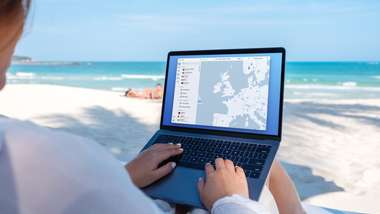 NordVPN
NordVPN- Download & Install: Sign up to ExpressVPN or another reputable VPN service (check out GOAL's guide here) and download the app on your device.
- Connect to a Server: Open the app and select a server location where the match is being shown (e.g. if you are in the UK but want to watch a US stream, connect to a US server).
- Clear Cache: Sometimes your browser holds onto your old location. Clear your cookies or refresh your browser to ensure the change takes effect.
- Start Streaming: Go to your broadcaster's website and app and enjoy the game.
How to watch on the Big Screen
Watching on your phone or laptop is fine, but live sports belongs on the big screen. Here is how to get the VPN working on your TV:
- Smart TVs & Fire Stick: Most Android-based TVs and devices like the Amazon Fire TV Stick or Google Chromecast with Google TV have native VPN apps. Simply search for your VPN provider in the app store on your TV, log in, and connect just like you would on your phone.
- Apple TV, Roku & Consoles: These devices often don't support direct VPN apps. The easiest workaround is to use Smart DNS (usually found in your VPN account settings) or Mirror/Cast the stream from your VPN-connected phone or laptop to your TV.