
Seoul get their first taste of competitive football in 2026 when they travel to the AFC Champions League elite leaders Vissel Kobe.
Here is where to find English-language live streams of Vissel Kobe vs FC Seoul, as GOAL brings you everything you need to know about how to watch the game today.
 | International | Bet365 |
 | India | FanCode |
 | Middle East | beIN Sports MENA |
How to watch anywhere with a VPN
If you are travelling abroad or just want to access your usual streaming services from a different part of the world, you may run into geo-restrictions. This is where a Virtual Private Network (VPN) comes in handy.
A VPN, such as ExpressVPN, allows you to establish a secure, encrypted connection online. By virtually changing your location to a country where the game is being broadcast, you can bypass blackout restrictions and watch your favourite team live. Click here for a step-by-step guide or, alternatively, check out GOAL's guide to the best VPNs for streaming sports.

Vissel Kobe vs FC Seoul kick-off time

Vissel Kobe vs FC Seoul kicks off on 10 Feb 2026 at 10:00 GMT.
Match preview
Vissel Kobe have been impressive in the AFC Champions League group stages. Overall, however, their form across the back-end of 2025 and the start of 2026 in all competitions has been patchy, with only one win in six outings inside 90 minutes.
In the Champions League, though, they've been clinical, converting 18.8% of their chances, the best record in the competition, and they've got four clean sheets. It's a tricky assignment for Seoul, who might be rusty after a long break.
 Getty Images
Key stats
Yoshinori Muto has two goals and an assist in the ACL this term for Kobe.
New Seoul signing Song Min-kyu has five goals in 18 AFC club competition matches in his career and will be a key operator after the departure of former Man United star Jesse Lingard.
 Getty Images
Team news & squads
Vissel Kobe vs FC Seoul Probable lineups
 Probable lineup
Substitutes
Manager
M. Skibbe
 Probable lineup
Substitutes
Manager
G. Kim
Injuries and Suspended players
Injuries and Suspensions
- No sidelined players
Injuries and Suspensions
- No sidelined players
Form
KOB-Form
KOBKyoto Sanga FC
1
-
1
Vissel Kobe
W
Vissel Kobe
2
-
2
Chengdu Rongcheng FC
D
Kyoto Sanga FC
2
-
0
Vissel Kobe
L
Vissel Kobe
0
-
0
FC Tokyo
D
Shanghai Shenhua
0
-
2
Vissel Kobe
W
- Goal Scored (Conceded)
- 5/5
- Games over 2.5 goals
- 1/5
- Both teams scored
- 2/5
FCS-Form
FCSFC Seoul
1
-
1
Melbourne City FC
D
Jeonbuk Hyundai Motors FC
2
-
1
FC Seoul
L
Shanghai Port
1
-
3
FC Seoul
W
FC Seoul
1
-
3
Gimcheon Sangmu
L
Pohang Steelers
0
-
0
FC Seoul
D
- Goal Scored (Conceded)
- 6/7
- Games over 2.5 goals
- 3/5
- Both teams scored
- 4/5
Head-to-Head Record
Standings
Step-by-step VPN guide to watch Vissel Kobe vs FC Seoul today
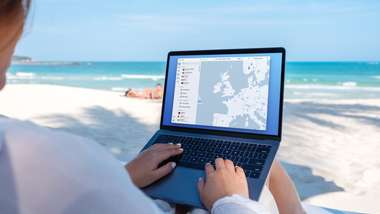 NordVPN
- Download & Install: Sign up to ExpressVPN or another reputable VPN service (check out GOAL's guide here) and download the app on your device.
- Connect to a Server: Open the app and select a server location where the match is being shown (e.g. if you are in the UK but want to watch a US stream, connect to a US server).
- Clear Cache: Sometimes your browser holds onto your old location. Clear your cookies or refresh your browser to ensure the change takes effect.
- Start Streaming: Go to your broadcaster's website and app and enjoy the game.
How to watch on the Big Screen
Watching on your phone or laptop is fine, but live sports belongs on the big screen. Here is how to get the VPN working on your TV:
- Smart TVs & Fire Stick: Most Android-based TVs and devices like the Amazon Fire TV Stick or Google Chromecast with Google TV have native VPN apps. Simply search for your VPN provider in the app store on your TV, log in, and connect just like you would on your phone.
- Apple TV, Roku & Consoles: These devices often don't support direct VPN apps. The easiest workaround is to use Smart DNS (usually found in your VPN account settings) or Mirror/Cast the stream from your VPN-connected phone or laptop to your TV.