
Manchester City, eager to ramp up the pressure on Arsenal, will host a struggling Fulham side determined to secure a vital win in order to ease their woes.
Here is where to find English-language live streams of Manchester City vs Fulham, as GOAL brings you everything you need to know about how to watch the game today.
 | USA | Peacock |
 | UK | TNT Sports |
 | Australia | Stan Sport |
 | Canada | Fubo Canada |
 | India | JioStar |
 | South / Sub-Saharan Africa | SuperSport |
| Malaysia | Astro | |
 | Middle East | beIN Sports MENA |
How to watch anywhere with a VPN
If you are travelling abroad or just want to access your usual streaming services from a different part of the world, you may run into geo-restrictions. This is where a Virtual Private Network (VPN) comes in handy.
A VPN, such as ExpressVPN, allows you to establish a secure, encrypted connection online. By virtually changing your location to a country where the game is being broadcast, you can bypass blackout restrictions and watch your favourite team live. Click here for a step-by-step guide or, alternatively, check out GOAL's guide to the best VPNs for streaming sports.

Manchester City vs Fulham kick-off time

Manchester City and Fulham will kick off on 11 Feb 2026 at 19:30 GMT and 14:30 EST.
Match Preview
Manchester City are targeting a third straight victory after a thrilling comeback win at Liverpool, which has reignited their Premier League title challenge.
Sitting second in the table and six points adrift of leaders Arsenal, the Citizens can slash that gap to three with a win over Fulham at the Etihad, ahead of the Gunners' trip to Brentford on Thursday.
 Getty Images
However, Pep Guardiola's side will face a resilient Fulham side desperate to snap a run of three defeats in their last four Premier League outings.
The Cottagers, currently sitting 10th in the table, know that an upset victory at the Etihad Stadium could reignite their push for a top-six finish.
Injuries, key stats
Several key players are sidelined due to injuries in the Manchester City camp, including Jeremy Doku (calf), Savinho (knock/thigh), John Stones (thigh), Josko Gvardiol (shin/tibia), and Mateo Kovacic (ankle), but Abdukodir Khusanov and Ruben Dias are available after recent concerns.
 Getty Images
Fulham, on the other hand, have Saša Lukić (hamstring), Tom Cairney (calf problems), Rodrigo Muniz (hamstring), and Oscar Bobb (hamstring) on their injury list, but manager Marco Silva could welcome back some squad depth for the tough Etihad trip.
City have won their last 19 meetings against Fulham in all competitions, marking the longest winning run one side has achieved against another in English football history.
The winning streak includes 16 consecutive Premier League victories.
Team news & squads
Manchester City vs Fulham Probable lineups

4-3-3
Formation
4-2-3-1
 FUL
FULProbable lineup
Substitutes
Manager
P. Guardiola
Probable lineup
Substitutes
Manager
Marco Silva
Injuries and Suspended players
Injuries and Suspensions
Injuries and Suspensions
Form
MCI-Form
MCILiverpool
1
-
2
Manchester City
W
Manchester City
3
-
1
Newcastle United
W
Tottenham
2
-
2
Manchester City
D
Manchester City
2
-
0
Galatasaray
W
Manchester City
2
-
0
Wolverhampton Wanderers
W
- Goal Scored (Conceded)
- 11/4
- Games over 2.5 goals
- 3/5
- Both teams scored
- 3/5
FUL-Form
FULFulham
1
-
2
Everton
L
Manchester United
3
-
2
Fulham
L
Fulham
2
-
1
Brighton
W
Leeds
1
-
0
Fulham
L
Fulham
3
-
1
Middlesbrough
W
- Goal Scored (Conceded)
- 8/8
- Games over 2.5 goals
- 4/5
- Both teams scored
- 4/5
Head-to-Head Record
MCILast 5 matches
FUL5
Wins
0
Draws
0
Wins
Fulham
4
-
5
Manchester City
Fulham
0
-
2
Manchester City
Manchester City
3
-
2
Fulham
Fulham
0
-
4
Manchester City
Manchester City
5
-
1
Fulham
Goals scored
7- Games over 2.5 goals
- 4/5
- Both teams scored
- 3/5
Standings
Step-by-step VPN guide to watch Manchester City vs Fulham today
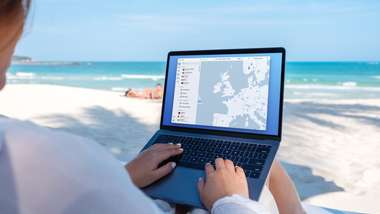 NordVPN
- Download & Install: Sign up to ExpressVPN or another reputable VPN service (check out GOAL's guide here) and download the app on your device.
- Connect to a Server: Open the app and select a server location where the match is being shown (e.g. if you are in the UK but want to watch a US stream, connect to a US server).
- Clear Cache: Sometimes your browser holds onto your old location. Clear your cookies or refresh your browser to ensure the change takes effect.
- Start Streaming: Go to your broadcaster's website and app and enjoy the game.
How to watch on the Big Screen
Watching on your phone or laptop is fine, but live sports belong on the big screen. Here is how to get the VPN working on your TV:
- Smart TVs & Fire Stick: Most Android-based TVs and devices like the Amazon Fire TV Stick or Google Chromecast with Google TV have native VPN apps. Simply search for your VPN provider in the app store on your TV, log in, and connect just like you would on your phone.
- Apple TV, Roku & Consoles: These devices often don't support direct VPN apps. The easiest workaround is to use Smart DNS ( usually found in your VPN account settings) or Mirror/Cast the stream from your VPN-connected phone or laptop to your TV.