
Liverpool are back in the hunt for a Champions League place, but in-form West Ham will pose a threat to them at Anfield this Saturday.
Liverpool's encounter with West Ham is anticipated to be a thrilling Premier League fixture. As you gear up to watch this captivating duel, make the experience more engaging with the 1win promo code, offering access to special betting promotions that add an extra dimension of excitement to following the match.
Here is where to find English-language live streams of Liverpool vs West Ham, as GOAL brings you everything you need to know about how to watch the game today.
 | USA | USA Network |
 | Australia | Stan Sport |
 | Canada | Fubo Canada |
 | India | JioStar |
 | South / Sub-Saharan Africa | SuperSport |
| Malaysia | Astro | |
 | Middle East | beIN Sports MENA |
How to watch anywhere with a VPN
If you are travelling abroad or just want to access your usual streaming services from a different part of the world, you may run into geo-restrictions. This is where a Virtual Private Network (VPN) comes in handy.
A VPN, such as ExpressVPN, allows you to establish a secure, encrypted connection online. By virtually changing your location to a country where the game is being broadcast, you can bypass blackout restrictions and watch your favourite team live. Click here for a step-by-step guide or, alternatively, check out GOAL's guide to the best VPNs for streaming sports.

How to watch and live stream Liverpool vs West Ham for free
If you're planning to watch the game from the United States, new USA Network customers can access it with a free five-day trial.
Liverpool vs West Ham kick-off time

Liverpool vs West Ham will kick off on 28 Feb 2026 at 10:00 EST and 15:00 GMT.
Match preview
Liverpool's current run of three wins from four Premier League matches has them in with a shout of finishing in the Champions League places, just three points adrift of fourth-placed Man United.
 Getty Images
Visitords West Ham are on a four-match unbeaten Premier League run, and have only lost one of their last eight matches across all competitions. It's an uptick in form that gives the 18th-placed Hammers genuine hope in their fight to avoid relegation. However, upcoming matches with Liverpool here, Fulham, Man City and Aston Villa will provide a tough test of their credentials.
 Getty Images
Key stats & injury news
Alex Isak, Endo, Conor Bradley and Stefan Bajcetic are all long-term absentees for Liverpool. Freddie Potts is suspended for the Hammers.
Liverpool have lost just one of their last 19 Premier League games against West Ham (W15 D3), winning seven of the last eight since a 3-2 away loss in November 2021.
 Getty Images
Cody Gakpo has four goals in his last four meetings with West Ham, but hasn't scored in his last seven outings for Liverpool, most recently striking away to Marseille in late January.
 Getty Images
Liverpool have won their last two Premier League games by a 1-0 scoreline. They’ve not won three in a row without conceding since Arne Slot’s first three in charge of the club last season, while they last had three consecutive 1-0 wins in a season in their opening three games of 2013-14.
 Getty Images
Team news & squads
Liverpool vs West Ham United lineups


 LIV-Line up
LIVSubstitutes
Manager
A. Slot
 WHU-Line up
WHUSubstitutes
Manager
N. Espirito Santo
Injuries and Suspended players
Injuries and Suspensions
Injuries and Suspensions
Form
LIV-Form
LIVNottingham Forest
0
-
1
Liverpool
W
Liverpool
3
-
0
Brighton & Hove Albion
W
Sunderland
0
-
1
Liverpool
W
Liverpool
1
-
2
Manchester City
L
Liverpool
4
-
1
Newcastle United
W
- Goal Scored (Conceded)
- 10/3
- Games over 2.5 goals
- 3/5
- Both teams scored
- 2/5
WHU-Form
WHUWest Ham United
0
-
0
AFC Bournemouth
D
Burton Albion
0
-
1
West Ham United
W
West Ham United
1
-
1
Manchester United
D
Burnley
0
-
2
West Ham United
W
Chelsea
3
-
2
West Ham United
L
- Goal Scored (Conceded)
- 6/4
- Games over 2.5 goals
- 1/5
- Both teams scored
- 2/5
Head-to-Head Record
LIVLast 5 matches
WHU4
Wins
1
Draw
0
Wins
West Ham United
0
-
2
Liverpool
Liverpool
2
-
1
West Ham United
West Ham United
0
-
5
Liverpool
Liverpool
5
-
1
West Ham United
West Ham United
2
-
2
Liverpool
Goals scored
4- Games over 2.5 goals
- 4/5
- Both teams scored
- 3/5
Standings
Step-by-step VPN guide to watch Liverpool vs West Ham today
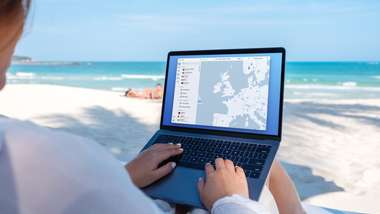 NordVPN
NordVPN- Download & Install: Sign up to ExpressVPN or another reputable VPN service (check out GOAL's guide here) and download the app on your device.
- Connect to a Server: Open the app and select a server location where the match is being shown (e.g. if you are in the UK but want to watch a US stream, connect to a US server).
- Clear Cache: Sometimes your browser holds onto your old location. Clear your cookies or refresh your browser to ensure the change takes effect.
- Start Streaming: Go to your broadcaster's website and app and enjoy the game.
How to watch on the Big Screen
Watching on your phone or laptop is fine, but live sports belongs on the big screen. Here is how to get the VPN working on your TV:
- Smart TVs & Fire Stick: Most Android-based TVs and devices like the Amazon Fire TV Stick or Google Chromecast with Google TV have native VPN apps. Simply search for your VPN provider in the app store on your TV, log in, and connect just like you would on your phone.
- Apple TV, Roku & Consoles: These devices often don't support direct VPN apps. The easiest workaround is to use Smart DNS (usually found in your VPN account settings) or Mirror/Cast the stream from your VPN-connected phone or laptop to your TV.