
The 2026 MLS Opening Weekend continues with a Western Conference showdown at Q2 Stadium, with Austin FC vs Minnesota United.
Here is where to find English-language live streams of Austin FC vs Minnesota United, as GOAL brings you everything you need to know about how to watch the game today.

How to watch anywhere with a VPN
If you are travelling abroad or just want to access your usual streaming services from a different part of the world, you may run into geo-restrictions. This is where a Virtual Private Network (VPN) comes in handy.
A VPN, such as ExpressVPN, allows you to establish a secure, encrypted connection online. By virtually changing your location to a country where the game is being broadcast, you can bypass blackout restrictions and watch your favourite team live. Click here for a step-by-step guide or, alternatively, check out GOAL's guide to the best VPNs for streaming sports.

Austin FC vs Minnesota United kick-off time

Austin FC vs Minnesota United will kick off on 21 Feb 2026 at 21:30 EST.
Match context
Austin brought Facundo Torres back to the MLS from Brazilian giants Palmeiras. His importance is underlined by the ongoing absence of star striker Brandon Vazquez, who is still recovering from an ACL tear.
 Getty Images
Minnesota make a big statement with James signing
In a stunning statement move, Minnesota picked up the legendary Colombian playmaker James Rodríguez. He'll be working under new coach Cameron Knowles after the departure of Eric Ramsay to West Brom in England.
34-year-old Rodriguez, formerly of Porto, Monaco, Real Madrid, Bayern Munich and Everton, has the pedigree and personality to shine stateside.

Austin reinforces its defensive options
Austin added signed Joseph Rosales after he spent five seasons with Minnesota, so it'll be a strange sight for visiting supporters to see him in new colours. He'll have his hands full against the left-footed brilliance and flair of James.
Team news & squads
Austin FC vs Minnesota United lineups


%22%3E%3Cpath%20d%3D%22M113.285%20123.548C113.708%20121.587%20113.731%20119.672%20113.355%20117.805C112.65%20114.256%20111.334%20111.524%20109.407%20109.61C107.01%20106.855%2097.8925%20102.443%2082.054%2096.3727C76.9781%2094.0381%2074.4402%2091.3766%2074.4402%2088.3883L74.2287%2084.9564C78.2706%2080.8475%2080.973%2076.1316%2082.336%2070.8086C84.4509%2069.9215%2085.7434%2068.1238%2086.2133%2065.4157C88.8923%2060.046%2088.4223%2056.3807%2084.8034%2054.4196C87.6233%2044.8477%2087.2943%2037.7037%2083.8164%2032.9878L72.1137%2017.2291C72.1137%2019.7972%2071.5498%2020.8244%2070.4218%2020.3108C71.0328%2018.7232%2071.0328%2017.5793%2070.4218%2016.8789C69.6698%2018.6532%2068.4244%2019.6804%2066.6854%2019.9606L68.2364%2017.4392C67.2494%2018.8867%2065.7454%2019.6337%2063.7245%2019.6804C63.1605%2018.9801%2063.325%2017.9061%2064.218%2016.4587C63.137%2017.1124%2062.2205%2017.9528%2061.4686%2018.9801C60.3876%2018.7933%2059.9881%2017.626%2060.2701%2015.4781C59.3771%2016.5054%2058.4372%2017.626%2057.4502%2018.84C55.5702%2018.6999%2055.4997%2017.4626%2057.2387%2015.1279C55.1238%2015.6415%2053.9253%2016.6921%2053.6433%2018.2797C52.8913%2017.8127%2052.4448%2016.8555%2052.3038%2015.4081C49.9539%2018.3497%2046.993%2021.3614%2043.4211%2024.4431L36.0893%2031.0967C33.0344%2034.3652%2031.5774%2038.5442%2031.7184%2043.6336C31.8594%2048.6764%2032.5409%2052.2717%2033.7629%2054.4196C30.191%2056.7075%2029.6505%2060.4196%2032.1414%2065.5557C32.7054%2068.5441%2034.0684%2070.1549%2036.2303%2070.3884C37.7813%2076.0849%2040.6247%2080.9409%2044.7605%2084.9564C45.1835%2089.5323%2043.4681%2092.8475%2039.6142%2094.9019C37.0293%2096.3027%2034.0214%2097.6101%2030.5905%2098.8241L21.1437%20102.606C14.6579%20105.501%2010.4046%20108.279%208.38361%20110.941C5.79869%20114.77%204.78822%20118.972%205.3522%20123.548H113.285Z%22%20fill%3D%22%23DFDFDF%22%2F%3E%3C%2Fg%3E%3Cdefs%3E%3CclipPath%20id%3D%22clip0_2317_5185%22%3E%3Cpath%20d%3D%22M0%2060C0%2026.8629%2026.8629%200%2060%200C93.1371%200%20120%2026.8629%20120%2060C120%2093.1371%2093.1371%20120%2060%20120C26.8629%20120%200%2093.1371%200%2060Z%22%20fill%3D%22transparent%22%2F%3E%3C%2FclipPath%3E%3C%2Fdefs%3E%3C%2Fsvg%3E)


 AUS-Line up
AUSSubstitutes
Manager
N. Estevez
 MIN-Line up
MINSubstitutes
Manager
C. Knowles
Injuries and Suspended players
Injuries and Suspensions
- No sidelined players
Injuries and Suspensions
- No sidelined players
Form
AUS-Form
AUSAustin FC
1
-
4
Los Angeles FC
L
Los Angeles FC
2
-
1
Austin FC
L
San Jose Earthquakes
2
-
1
Austin FC
L
Austin FC
1
-
0
Los Angeles FC
W
Austin FC
1
-
3
St. Louis City
L
- Goal Scored (Conceded)
- 5/11
- Games over 2.5 goals
- 4/5
- Both teams scored
- 4/5
MIN-Form
MINSan Diego FC
1
-
0
Minnesota United
L
Minnesota United
3
-
3
Seattle Sounders FC
W
Seattle Sounders FC
4
-
2
Minnesota United
L
Minnesota United
0
-
0
Seattle Sounders FC
W
LA Galaxy
2
-
1
Minnesota United
L
- Goal Scored (Conceded)
- 6/10
- Games over 2.5 goals
- 3/5
- Both teams scored
- 3/5
Head-to-Head Record
AUSLast 5 matches
MIN2
Wins
1
Draw
2
Wins
Minnesota United
1
-
2
Austin FC
Minnesota United
1
-
1
Austin FC
Austin FC
0
-
3
Minnesota United
Minnesota United
0
-
1
Austin FC
Austin FC
1
-
2
Minnesota United
Goals scored
6- Games over 2.5 goals
- 2/5
- Both teams scored
- 2/5
Standings
Step-by-step VPN guide to watch Austin FC vs Minnesota United today
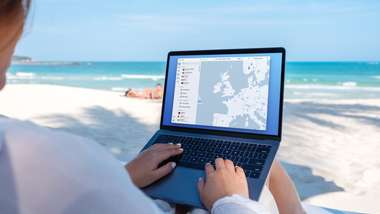 NordVPN
NordVPN- Download & Install: Sign up to ExpressVPN or another reputable VPN service (check out GOAL's guide here) and download the app on your device.
- Connect to a Server: Open the app and select a server location where the match is being shown (e.g. if you are in the UK but want to watch a US stream, connect to a US server).
- Clear Cache: Sometimes your browser holds onto your old location. Clear your cookies or refresh your browser to ensure the change takes effect.
- Start Streaming: Go to your broadcaster's website and app and enjoy the game.
How to watch on the Big Screen
Watching on your phone or laptop is fine, but live sports belongs on the big screen. Here is how to get the VPN working on your TV:
- Smart TVs & Fire Stick: Most Android-based TVs and devices like the Amazon Fire TV Stick or Google Chromecast with Google TV have native VPN apps. Simply search for your VPN provider in the app store on your TV, log in, and connect just like you would on your phone.
- Apple TV, Roku & Consoles: These devices often don't support direct VPN apps. The easiest workaround is to use Smart DNS (usually found in your VPN account settings) or Mirror/Cast the stream from your VPN-connected phone or laptop to your TV.