
San Diego FC takes on Liga MX outfit Pumas in their debut Concacaf Champions Cup match.
Here is where to find English-language live streams of San Diego FC vs Club Universidad Nacional, as GOAL brings you everything you need to know about how to watch the game today.
 | USA | Fubo USA |
 | International | Bet365 |
 | Canada | Fubo Canada |
How to watch anywhere with a VPN
If you are travelling abroad or just want to access your usual streaming services from a different part of the world, you may run into geo-restrictions. This is where a Virtual Private Network (VPN) comes in handy.
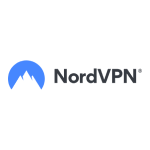
A VPN, such as NordVPN, allows you to establish a secure, encrypted connection online. By virtually changing your location to a country where the game is being broadcast, you can bypass blackout restrictions and watch your favourite team live. Click here for a step-by-step guide or, alternatively, check out GOAL's guide to the best VPNs for streaming sports.
How to watch and live stream San Diego FC vs Pumas free
If you're planning to watch the game from the United States, new Fubo customers can access it with a free five-day trial.
San Diego FC vs Pumas kick-off time

San Diego FC vs Pumas kicks off on 3 Feb at 23:00 EST and on 4 Feb at 04:00 GMT.
Match preview
Among the 27 teams, only five—Inter Miami, Seattle Sounders, Deportivo Toluca, Mount Pleasant and Alajuelense—will get a bye through the first round and directly to the round of 16 of this season's CONCACAF Champions Cup. The remaining 22 clubs will battle to advance in the bracket-style competition, which features two-legged ties up to the final.
San Diego gets to test themselves against the finest sides from North America, Central America and the Caribbean in the CONCACAF Champions Cup. They finished top of the MLS Western Conference with 63 points through 34 games in their inaugural campaign.
 Getty Images
First up for Mikey Varas' side in their debut season at this level is the talented Liga MX side, Pumas, three-time winners of this competition. It remains to be seen if Pumas will lean heavily on younger players, instead focusing on their quest to become Liga MX champions.
Injury news & key stats
San Diego has no injury concerns.
Danish star Anders Dreyer recorded 19 goals and 19 assists in 34 matches to earn the 2025 MLS Newcomer of the Year Award for SDFC.
Alan Medina has three assists in his last two Pumas appearances.
Costa Rican legend Keylor Navas, once of Real Madrid and PSG, has made 4.8 saves per game for Pumas on average this season.
 Getty Images
Team news & squads
San Diego FC vs Club Universidad Nacional Probable lineups
 Probable lineup
Substitutes
Manager
M. Varas
 Probable lineup
Substitutes
Manager
E. Juarez
Injuries and Suspended players
Injuries and Suspensions
- No sidelined players
Injuries and Suspensions
- No sidelined players
Form
SDI-Form
SDISan Diego FC
1
-
3
Vancouver Whitecaps
L
San Diego FC
1
-
0
Minnesota United
W
San Diego FC
4
-
0
Portland Timbers
W
Portland Timbers
2
-
2
San Diego FC
L
San Diego FC
2
-
1
Portland Timbers
W
- Goal Scored (Conceded)
- 10/6
- Games over 2.5 goals
- 4/5
- Both teams scored
- 3/5
CUN-Form
CUNClub Universidad Nacional
4
-
0
Santos Laguna
W
Club Universidad Nacional
1
-
1
Leon
D
Tigres
0
-
1
Club Universidad Nacional
W
Club Universidad Nacional
1
-
1
Queretaro FC
D
Pachuca
3
-
1
Club Universidad Nacional
L
- Goal Scored (Conceded)
- 8/5
- Games over 2.5 goals
- 2/5
- Both teams scored
- 3/5
Head-to-Head Record
Standings
Step-by-step VPN guide to watch San Diego FC vs Club Universidad Nacional today
 NordVPN
- Download & Install: Sign up to NordVPN or another reputable VPN service (check out GOAL's guide here) and download the app on your device.
- Connect to a Server: Open the app and select a server location where the match is being shown (e.g. if you are in the UK but want to watch a US stream, connect to a US server).
- Clear Cache: Sometimes your browser holds onto your old location. Clear your cookies or refresh your browser to ensure the change takes effect.
- Start Streaming: Go to your broadcaster's website and app and enjoy the game.
>How to watch on the Big Screen
Watching on your phone or laptop is fine, but live sports belongs on the big screen. Here is how to get the VPN working on your TV:
- Smart TVs & Fire Stick: Most Android-based TVs and devices like the Amazon Fire TV Stick or Google Chromecast with Google TV have native VPN apps. Simply search for your VPN provider in the app store on your TV, log in, and connect just like you would on your phone.
- Apple TV, Roku & Consoles: These devices often don't support direct VPN apps. The easiest workaround is to use Smart DNS (usually found in your VPN account settings) or Mirror/Cast the stream from your VPN-connected phone or laptop to your TV.