
The schedule is relentless and the chase for the Bundesliga crown remains in sight with another heavyweight clash under the lights at Allianz Arena.
Here is where to find English language live streams of Bayern Munich vs Borussia Moenchengladbach as we brings you everything you need to know about how to watch the game today.
 | USA | Fubo |
 | UK | BBC |
 | Australia | beIN Sports Australia |
 | Canada | Fubo Canada |
 | South / Sub-Saharan Africa | StarTimes World Football |
| Malaysia | beIN Sports Malaysia |
 | Middle East | MBC Shahid |
How to watch Bayern Munich vs Borussia Moenchengladbach with VPN
If you are travelling abroad or just want to access your usual streaming services from a different part of the world, you may run into geo-restrictions. This is where a Virtual Private Network (VPN) comes in handy.
A VPN, such as ExpressVPN, allows you to establish a secure, encrypted connection online. By virtually changing your location to a country where the game is being broadcast, you can bypass blackout restrictions and watch your favourite team live. Click here for a step-by-step guide or, alternatively, check out our guide to the best VPNs for streaming sports.

Bayern Munich vs Borussia Moenchengladbach kick-off time

Bayern Munich vs Borussia Moenchengladbach kicks off on 6 Mar at 14:30 EST and 19:30 GMT.
Match preview
Vincent Kompany has his team looking sharp, with dreams of a historic treble still alive. Before they face Atalanta in the Champions League round of 16 next week, the focus shifts back to Bundesliga duties. Bayern head into this one riding the momentum of a dramatic 3-2 win over Borussia Dortmund in Der Klassiker - a match where they trailed early, saw Dortmund level late, and still found a way to snatch victory.
 Getty Images
On the other side, Borussia Mönchengladbach haven’t exactly been flying this season. They remain stuck in the lower half of the table, just three points clear of the relegation playoff spot. Still, last weekend brought a glimmer of hope: a hard-fought 1-0 win over Union Berlin, sealed by Kevin Diks’ penalty deep into stoppage time.
Key stats & injury news
Manuel Neuer had to come off at half-time during Bayern’s 3-0 win over Werder Bremen on February 14 after picking up a muscle issue, and he’s since missed games against Eintracht Frankfurt and Borussia Dortmund. The veteran keeper skipped training on Monday and wasn’t out on the pitch when Tuesday’s session began, so it’s still unclear if he’ll be back between the posts.
 Getty Images
Harry Kane, Jamal Musiala, and Dayot Upamecano were also absent from team training on Tuesday, instead sticking to gym work and physiotherapy as part of load management. Alphonso Davies, meanwhile, is about 10 days into his recovery from a muscle injury and was able to do some light ball work, while Hiroki Ito hasn’t yet resumed on-field rehab after his thigh problem.
For the visitors, Yannik Engelhardt is ruled out through suspension, and Tottenham loanee Kota Takai remains a doubt.
 Getty Images
It might sound surprising given the current gap, 38 points and 11 places separate the two clubs, but history tells a different story. Borussia have actually handed Bayern more Bundesliga defeats than any other team in German football, with 28 wins against the record champions.
Team news & squads
Bayern Munich vs Borussia Moenchengladbach Probable lineups

4-2-3-1
Formation
3-4-3
 BMG
BMGProbable lineup
Substitutes
Manager
V. Kompany
Probable lineup
Substitutes
Manager
E. Polanski
Injuries and Suspended players
Injuries and Suspensions
Injuries and Suspensions
Form
FCB-Form
FCBBorussia Dortmund
2
-
3
Bayern Munich
W
Bayern Munich
3
-
2
Eintracht Frankfurt
W
Werder Bremen
0
-
3
Bayern Munich
W
Bayern Munich
2
-
0
RB Leipzig
W
Bayern Munich
5
-
1
Hoffenheim
W
- Goal Scored (Conceded)
- 16/5
- Games over 2.5 goals
- 4/5
- Both teams scored
- 3/5
BMG-Form
BMGBorussia Moenchengladbach
1
-
0
Union Berlin
W
Freiburg
2
-
1
Borussia Moenchengladbach
L
Eintracht Frankfurt
3
-
0
Borussia Moenchengladbach
L
Borussia Moenchengladbach
1
-
1
Bayer Leverkusen
D
Werder Bremen
1
-
1
Borussia Moenchengladbach
D
- Goal Scored (Conceded)
- 4/7
- Games over 2.5 goals
- 2/5
- Both teams scored
- 3/5
Head-to-Head Record
FCBLast 5 matches
BMG5
Wins
0
Draws
0
Wins
Borussia Moenchengladbach
0
-
3
Bayern Munich
Bayern Munich
2
-
0
Borussia Moenchengladbach
Borussia Moenchengladbach
0
-
1
Bayern Munich
Bayern Munich
3
-
1
Borussia Moenchengladbach
Borussia Moenchengladbach
1
-
2
Bayern Munich
Goals scored
2- Games over 2.5 goals
- 3/5
- Both teams scored
- 2/5
Standings
Step-by-step VPN guide to watch Bayern Munich vs Borussia Moenchengladbach today
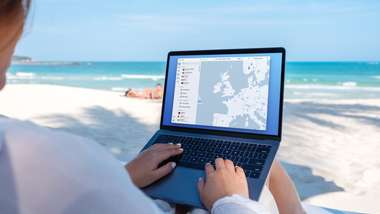 NordVPN
- Download & Install: Sign up to ExpressVPN or another reputable VPN service (check out GOAL's guide here) and download the app on your device.
- Connect to a Server: Open the app and select a server location where the match is being shown (e.g. if you are in the UK but want to watch a US stream, connect to a US server).
- Clear Cache: Sometimes your browser holds onto your old location. Clear your cookies or refresh your browser to ensure the change takes effect.
- Start Streaming: Go to your broadcaster's website and app and enjoy the game.
How to watch on the Big Screen
Watching on your phone or laptop is fine, but live sports belongs on the big screen. Here is how to get the VPN working on your TV:
- Smart TVs & Fire Stick: Most Android-based TVs and devices like the Amazon Fire TV Stick or Google Chromecast with Google TV have native VPN apps. Simply search for your VPN provider in the app store on your TV, log in, and connect just like you would on your phone.
- Apple TV, Roku & Consoles: These devices often don't support direct VPN apps. The easiest workaround is to use Smart DNS (usually found in your VPN account settings) or Mirror/Cast the stream from your VPN-connected phone or laptop to your TV.