
Here is where to find English language live streams of Sheffield United vs Sheffield Wednesday, as GOAL brings you everything you need to know about how to watch the game today.
 | USA | Paramount+ |
 | UK | Sky Sports |
 | Australia | beIN Sports Australia |
 | India | FanCode |
| Middle East | beIN Sports MENA |
 | South / Sub-Saharan Africa | SuperSport |
How to watch anywhere with VPN
If you are travelling abroad or just want to access your usual streaming services from a different part of the world, you may run into geo-restrictions. This is where a Virtual Private Network (VPN) comes in handy.
A VPN, such as ExpressVPN, allows you to establish a secure, encrypted connection online. By virtually changing your location to a country where the game is being broadcast, you can bypass blackout restrictions and watch your favourite team live. Click here for a step-by-step guide or, alternatively, check out GOAL's guide to the best VPNs for streaming sports.

Sheffield United vs Sheffield Wednesday kick-off time

Today's game between Sheffield United and Sheffield Wednesday will kick-off at 22 Feb 2026, 12:00.
Match Preview
 Getty Images
The Steel City Derby returns to Bramall Lane this Sunday, February 22, 2026, for one of the most lopsided meetings in the fixture’s 137-year history. While Sheffield United looks to consolidate a mid-table position, Sheffield Wednesday arrives in a state of unprecedented crisis, sitting dead last with a negative points tally following severe EFL sanctions.
The power balance in Sheffield has rarely felt this skewed. Under Chris Wilder—now in his third stint with the club—the Blades have been steady if unspectacular, currently sitting 15th with 42 points. They enter the derby on a high after a 90th-minute winner from Andre Brooks secured a 1-0 win over Portsmouth last weekend.
For Henrik Pedersen’s Sheffield Wednesday, the situation is dire. Rooted to the bottom with -7 points after a staggering 18-point deduction, the Owls have lost nine matches in a row. They are winless in 26 games and haven't beaten their cross-city rivals since 2012. With the club in a period of ownership transition and staring at certain relegation, this derby is less about league position and more about salvaging a shred of pride.
Team news & squads
Sheffield United vs Sheffield Wednesday Probable lineups
 Probable lineup
Substitutes
Manager
C. Wilder
 Probable lineup
Substitutes
Manager
H. Pedersen
Injuries and Suspended players
Injuries and Suspensions
- No sidelined players
Injuries and Suspensions
- No sidelined players
Form
SHU-Form
SHUPortsmouth
0
-
1
Sheffield United
W
Sheffield United
1
-
2
Middlesbrough
L
Sheffield United
3
-
1
Oxford
W
Millwall
1
-
1
Sheffield United
D
Sheffield United
3
-
1
Ipswich
W
- Goal Scored (Conceded)
- 9/5
- Games over 2.5 goals
- 3/5
- Both teams scored
- 4/5
SHW-Form
SHWSheffield Wednesday
1
-
2
Millwall
L
Swansea
4
-
0
Sheffield Wednesday
L
Blackburn
1
-
0
Sheffield Wednesday
L
Sheffield Wednesday
0
-
1
Wrexham
L
Bristol City
2
-
0
Sheffield Wednesday
L
- Goal Scored (Conceded)
- 1/10
- Games over 2.5 goals
- 2/5
- Both teams scored
- 1/5
Head-to-Head Record
SHULast 5 matches
SHW3
Wins
2
Draws
0
Wins
Sheffield Wednesday
0
-
3
Sheffield United
Sheffield Wednesday
0
-
1
Sheffield United
Sheffield United
1
-
0
Sheffield Wednesday
Sheffield Wednesday
0
-
0
Sheffield United
Sheffield United
0
-
0
Sheffield Wednesday
Goals scored
0- Games over 2.5 goals
- 1/5
- Both teams scored
- 0/5
Standings
Step-by-step VPN guide to watch Sheffield United vs Sheffield Wednesday today
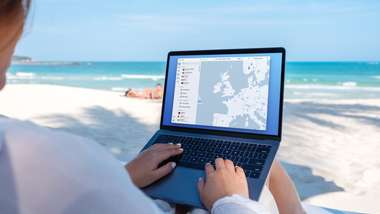 NordVPN
- Download & Install: Sign up to ExpressVPN or another reputable VPN service (check out GOAL's guide here) and download the app on your device.
- Connect to a Server: Open the app and select a server location where the match is being shown (e.g. if you are in the UK but want to watch a US stream, connect to a US server).
- Clear Cache: Sometimes your browser holds onto your old location. Clear your cookies or refresh your browser to ensure the change takes effect.
- Start Streaming: Go to your broadcaster's website and app and enjoy the game.
How to watch on the Big Screen
Watching on your phone or laptop is fine, but live sports belongs on the big screen. Here is how to get the VPN working on your TV:
- Smart TVs & Fire Stick: Most Android-based TVs and devices like the Amazon Fire TV Stick or Google Chromecast with Google TV have native VPN apps. Simply search for your VPN provider in the app store on your TV, log in, and connect just like you would on your phone.
- Apple TV, Roku & Consoles: These devices often don't support direct VPN apps. The easiest workaround is to use Smart DNS (usually found in your VPN account settings) or Mirror/Cast the stream from your VPN-connected phone or laptop to your TV.